Every interaction a user has with your company tells a story. And that story starts long before someone clicks a button or fills out a form. It begins with how easily they understand what you offer, how confident they feel moving through your experience, and how quickly they can get what they came for.
In other words, it starts the moment they begin to experience your brand.
A UX design strategy defines how user experience decisions are planned, prioritized, and connected to business outcomes. It ensures design choices are intentional, informed by research, and tied to real goals like growth, engagement, and revenue. Without strategy, design becomes reactive. With strategy, design becomes a tool for progress.
Psychology plays a central role here. Users bring expectations, habits, and emotions into every interaction. A strong UX design strategy accounts for how people think and how they decide to act as they move through an experience. When psychology and strategy work together, user experiences feel trustworthy and effective.
Here, I’m going to break down what UX design strategy is, why it matters, and how it impacts both users and businesses. I’ll cover the benefits of a strategic approach, the core components that make it work, and the psychological principles behind effective experiences (and how intentional UX design supports conversion, retention, and long-term growth). And, because this is a company blog and we’re proud of the work we do, I’ll also discuss how 97th Floor approaches UX strategy as a collaborative, research-driven process.
UX design strategy is the plan that guides how user experience decisions are made to support business goals and user needs. It connects research, design, and execution into a cohesive direction. While UX design focuses on individual interfaces and interactions, UX strategy defines the why, when, and priority behind those design choices.
At its core, a UX design strategy brings together research and usability principles, supported by psychological insight and organizational alignment. It creates a shared understanding of users and clarifies how the experience should support both them and the business.
A UX design strategy gives teams a clear framework for making decisions that serve both users and the business. Instead of relying on opinions or assumptions, strategy creates direction and consistency across the entire experience.
This matters because it:
A UX design strategy is made up of several connected parts that guide how experiences are planned, built, and improved. Each of these components plays a specific role in shaping how users move through an experience and how well that experience supports business goals.
Research sets the direction for every UX decision that follows. By studying user behavior and gathering stakeholder input, teams gain insight into needs, expectations, and obstacles. This groundwork helps reduce assumptions and ensures design decisions are based on real evidence rather than internal opinions.
Usability focuses on how easily users can navigate and complete tasks. Clear pathways and familiar patterns help users move through an experience without confusion. When usability is prioritized, frustration is reduced and progress feels natural.
Information architecture determines how content is structured and labeled. A thoughtful structure helps users understand where they are and where to go next. When information is organized in a way that feels intuitive, users can find what they need with less effort.
Interaction design defines how users engage with elements on a screen. Buttons, transitions, and feedback signals all influence how responsive an experience feels. Well-planned interactions guide attention and reinforce a sense of control.
Accessibility ensures experiences can be used by people with different abilities and needs. Designing with accessibility in mind improves usability for everyone and helps brands reach a wider audience. It also signals care and responsibility in how experiences are built.
UX copy supports users through clear and purposeful language. Labels, prompts, and instructions help users understand what actions are available and what will happen next. Good UX copy removes uncertainty and keeps experiences moving forward.
Testing and iteration allow teams to refine experiences over time. By observing how users interact with designs, teams can identify issues and make informed improvements. This ongoing process helps experiences stay effective as needs evolve.
Cross-functional alignment keeps UX efforts connected to broader business initiatives. When design, development, and marketing teams share the same goals, execution becomes more efficient. Alignment helps ensure the experience feels cohesive from start to finish.
We make daily decisions on what brands we choose to engage with, what brands have earned our trust, and what brands compel us to spend money. How do we make those decisions?
Psychology studies have shown that our feelings and instincts cause us to behave. It is said that emotions drive 80% of the choice we make. So the first visual impression a customer receives from your brand is crucial to a positive customer experience, or a customer experience at all.
Good design is more than just good looks, it’s the catalyst to trust and loyalty towards any brand or company.
Trust is often the first hurdle a brand needs to clear, and design is usually the deciding factor.
That’s because design is emotional. It evokes moods, attitudes, and personality. Together, these emotions create “gut feelings” and stir thoughts in our mind. And before even being exposed to actual content, visual queues have already shown us how to feel towards a brand.
So when we’re browsing the web and come across a ‘spammy’ looking website, the visual queues are telling us it’s untrustworthy. When junk emails pop up, poor design makes us question the legitimacy of the content. When we find a good deal on the web, but the checkout page to fill out credit card information looks sketchy, we back out. As a result, we don’t engage with the brand, we don’t subscribe to the service, and we don’t buy anything at all. And it all comes from gut feelings created by bad design.
And when trust breaks down at the visual level? Users rarely stick around long enough to reconsider.
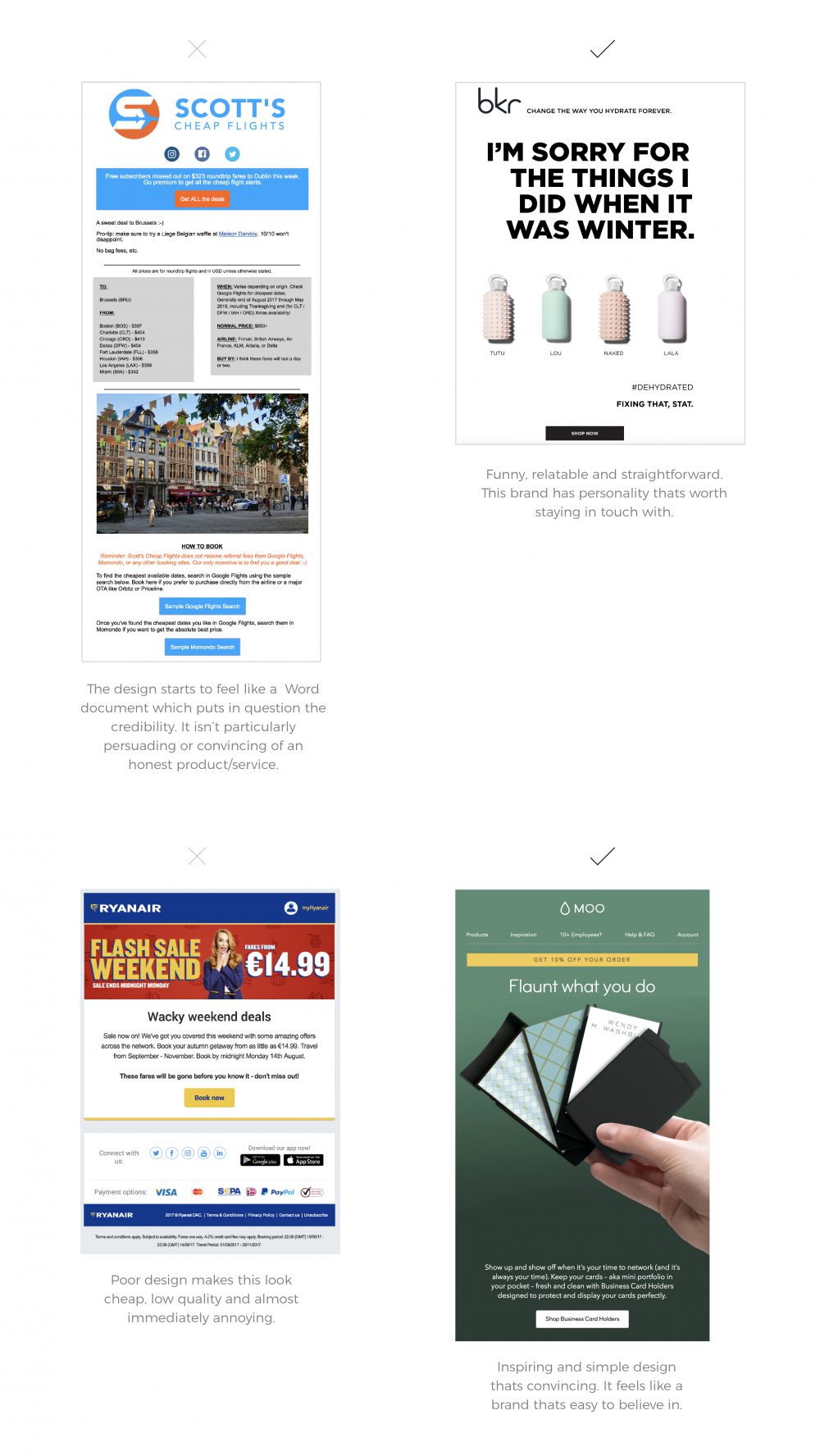
Belief is what bridges the gap between curiosity and commitment.
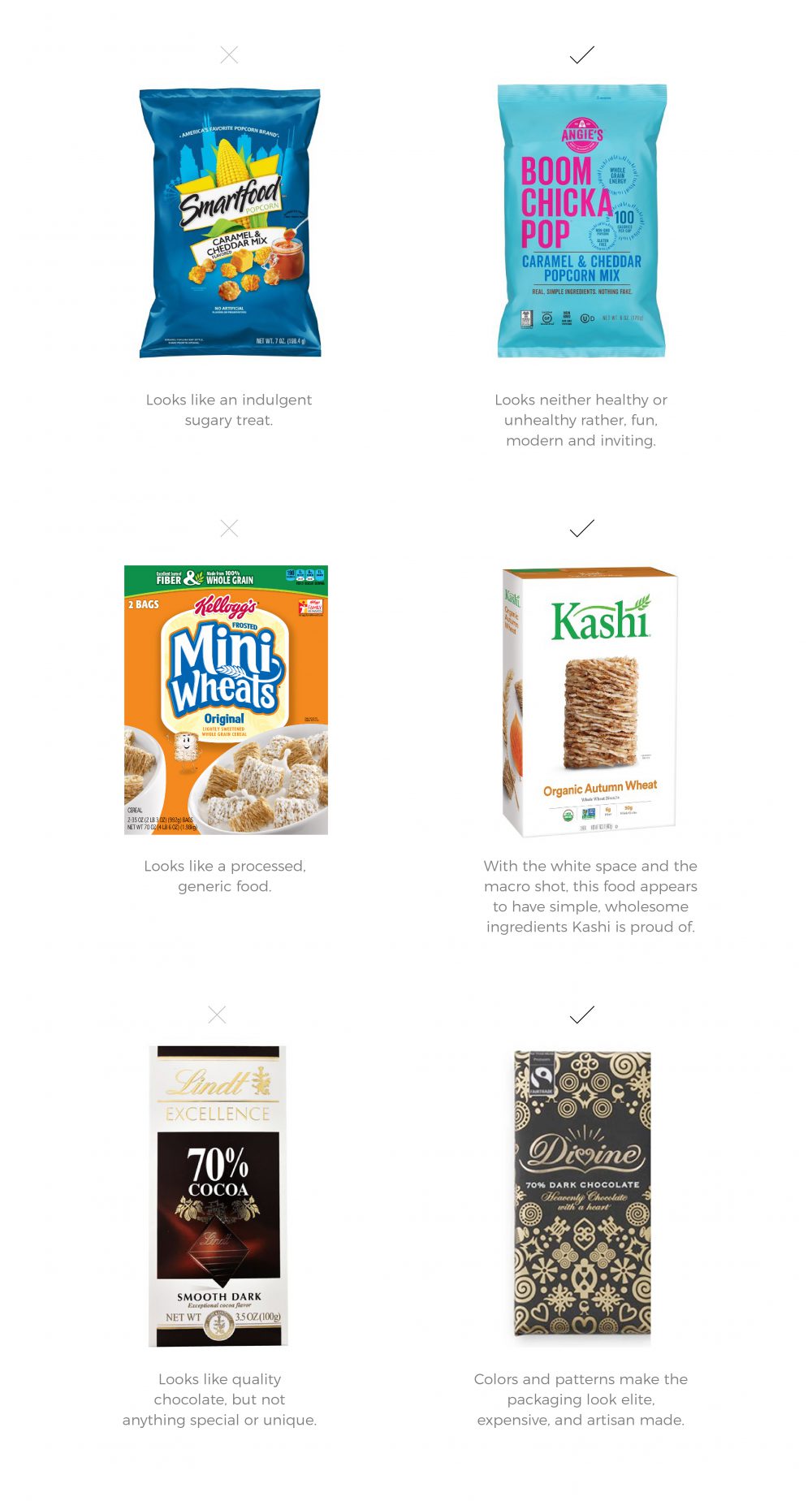
There’s a reason for the old adage don’t judge a book by it’s cover. It’s because we do! As consumers, we expect the quality of products/services to match their appearance. We don’t have time to be convinced that a certain brand/product/service is good, we should already be able to see that it is (or isn’t). A brand with good design is more convincing than a brand with bad design because we assume appearance reflects quality.
Have you ever found yourself wanting to purchase the organic or brand name cereal rather than the generic brand? We expect good packaging design to be the shell of a good product. Have you ever spent more money on a product just because it looks better than the cheaper version? By sole appearances, we assume more credibility with one brand than another, and we take one brand more seriously than another.
When design communicates quality clearly, customers are more willing to give you the benefit of the doubt.
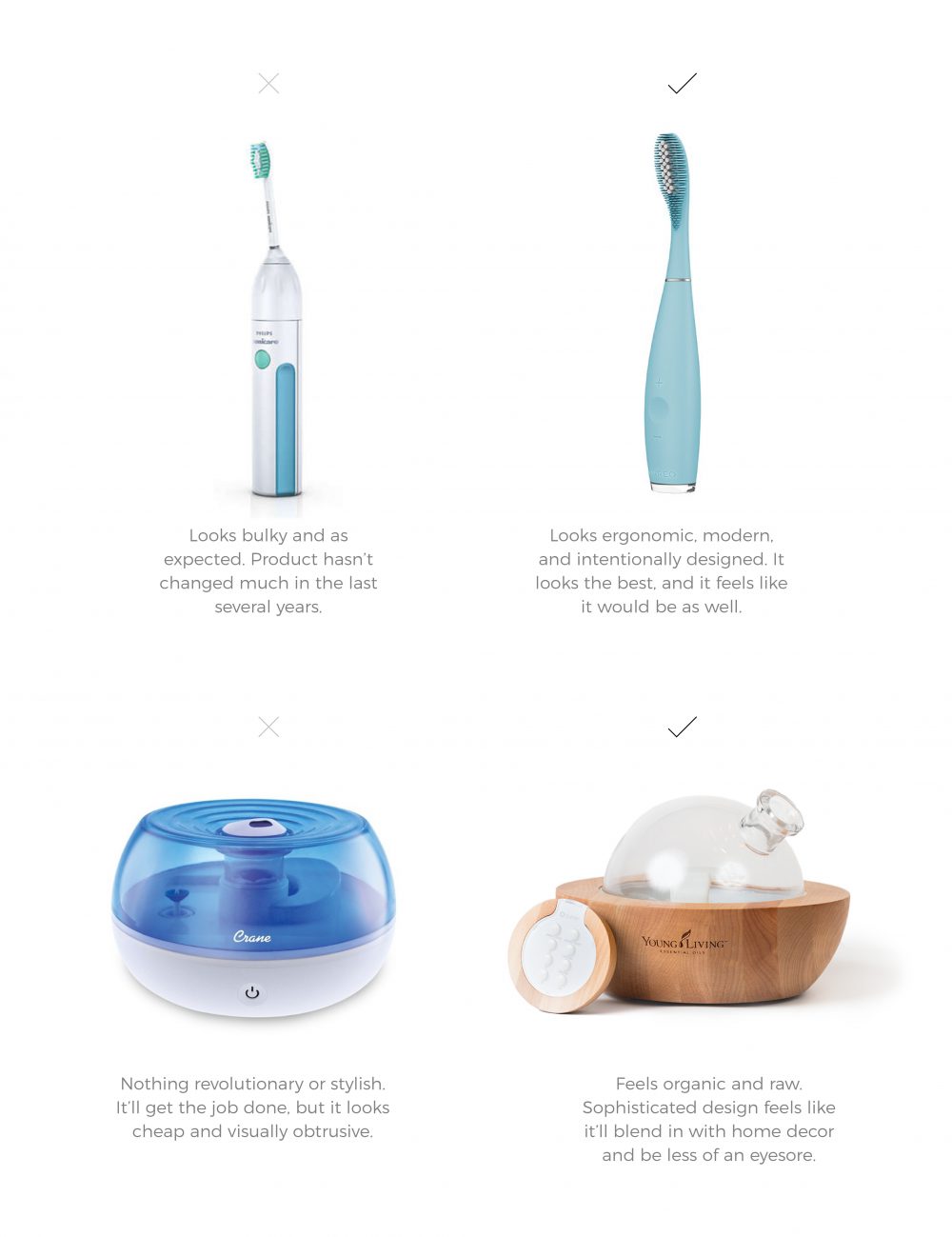
Brands with an up-to-date design make us feel like their product/service is likewise current and relevant..
Some brands stand out as cutting edge in their industry simply because they look the part. We’d be less likely to purchase a product from a website designed in the 90s, because we associate the outdated web design to the product/service. It’s as if we think, how can a product/service with a website from the 90s, serve the needs I have in 2026? There’s got to be another brand who is more current and fresh. With no progression in any aspect of design, it’s easy to assume there hasn’t been progression with the product/service either. A brand’s entire look and feel should show that it is leading the industry. Brands who look the part, convince their audience that they actually are.
Think of it like this: when design reflects forward momentum, audiences are more inclined to believe the brand can meet modern needs.
Design isn’t just how your brand looks; it’s how it feels. Feelings and instincts from good design cause positive behaviors. And the same goes for bad design causing negative behaviors.
Simply put, design dictates the user experience. So, take a second look at your brand. Does the design reflect the quality of your service/product? Is the design of your logo, website, flyer or whatever visual medium you’re using to communicate with your audience look like you’re a superior, dependable brand? Or do your visual mediums make viewers hesitate?
Visual design focuses on how an experience looks. UX design strategy focuses on how that experience works, why decisions are made, and how success is measured.
Psychology informs UX by explaining how people perceive information, form opinions, and make decisions. UX strategy uses that understanding to guide structure, flow, and priorities across the experience. Visual design then supports those decisions by expressing them clearly.
In terms of scope, UX design strategy is the broader of the two. It considers research, usability, business goals, and cross-functional needs. It is also measurable, with success defined through outcomes like engagement, conversion, and retention (rather than preference alone).
Building a UX design strategy requires intention, structure, and a willingness to learn from users. While every organization is different, most strategies follow a similar progression.
UX design strategy becomes clearer when viewed in context. Consider the following hypothetical scenarios:
These are, of course, only a few examples. The reality is when it comes to UX strategy, design must be adaptable to your product, your audience, and the specific situations where the two come into contact. A firm understanding of customer psychology, backed by reliable research, makes this possible.
UX design strategy matters because it shapes how users experience your brand and how confidently they move through it. When strategy is grounded in psychology and supported by research, design decisions become more justifiable and easier to scale. Teams gain clearer alignment, usability improves across touchpoints, and development effort is spent solving the right problems.
If you’re ready to build or refine your UX design strategy, 97th Floor partners with teams to create research-backed experiences that support both users and business goals.
UX design strategy is important because it helps businesses plan experiences that support growth, trust, and usability. It gives teams a framework for making informed decisions rather than reacting to issues after launch.
A UX design strategy improves user experience by reducing friction and clarifying pathways. When experiences are easier to navigate, users feel more confident and supported, which leads to a more satisfying brand interaction.
A strong UX strategy design includes research, usability planning, information structure, accessibility considerations, and ongoing testing. These components work together to guide consistent decision-making.
UX design strategy reduces development costs by identifying problems early. Research and testing help teams avoid building features that require rework.
UX strategy design increases conversions by making actions clear and reducing hesitation. It supports retention by creating experiences users can rely on over time.
UX design strategy creates alignment by defining shared goals and priorities. When teams understand the strategy, collaboration becomes smoother and decisions are easier to support.
User research provides the insight needed to make informed UX decisions. It helps teams understand behavior, expectations, and obstacles before design work begins.
Companies can get started by clarifying goals, conducting user research, and mapping key journeys. Partnering with experienced UX strategists can also help accelerate progress and reduce risk.