If you've ever looked at your Google Ads dashboard and thought, "our cost per lead is way better than the target we set, nice," this is for you.
As of this week, that good news isn't automatic anymore. Google changed how target-based bidding behaves when campaigns are limited by budget.
A lot of advertisers aren't happy about it. I actually think it could be a good thing — as long as the targets sitting in your account reflect your business goals.
What Actually Changed
The idea behind target-based bid strategies is pretty straightforward: you give Google an efficiency goal, and Google optimizes toward it. With Target CPA (cost per action), that might mean telling Google you want as many leads as possible at a $100 cost per lead. With Target ROAS (return on ad spend), that might mean telling Google you want to generate $5 in revenue for every $1 spent.
Historically, if a campaign had a limited daily budget, Google could be more selective about which auctions it entered, prioritizing opportunities where it was most confident it could generate conversions efficiently.
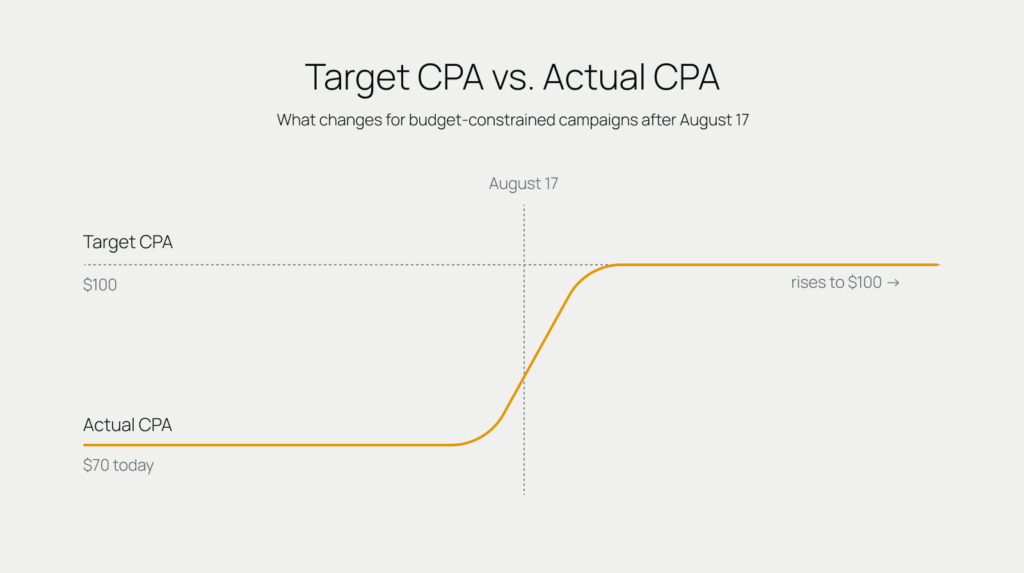
So, if your Target CPA was $100, you might actually have been getting leads for $70.
As of August 17th, that behavior has changed. Regardless of budget constraints, Google will now optimize much more consistently toward the target you set. A $100 target gets treated like a $100 target.
The change applies across Search, Shopping, Performance Max, Demand Gen, and Travel campaigns, for both online and offline conversions.
Why I'm Actually Excited About This
I understand why the initial reaction has been negative. If you've been getting $70 leads with a Target CPA of $100, hearing that Google may now optimize closer to $100 sounds like you're about to pay more for the same thing.
But here's the important part: you still control the target.
If $70 is the CPA your business actually needs, lower your Target CPA to $70. If your business can profitably acquire leads at $80 and your priority is growth, maybe $80 is the better target.
This is where I think the change gets interesting for advertisers looking to grow.
Historically, scaling could be difficult to predict. If you increased your budget, Google might have to reach beyond the auctions it had been prioritizing, and your $70 actual CPA could start climbing toward your $100 target. Your target hadn't changed, but your actual performance did.
Going forward, that relationship should be more predictable. If $70 is truly your target, tell Google $70. Then you can make budget decisions knowing Google will aim more consistently toward the efficiency goal you've actually set.
I've spent years asking Google reps some version of: if I set a target of $100, are you going to aim for $100, or try to beat it whenever you can? The answer was never particularly clear because budget constraints affected that behavior.
That ambiguity is what I'm excited to see go away.
You aren't losing control of your efficiency. You just need to be more intentional about telling Google what efficiency you actually want.
Three Things To Do With Your Team This Week
Whether your paid media is run in-house or by an agency, there are three things I'd be doing right now.
1. Find the campaigns most likely to be affected
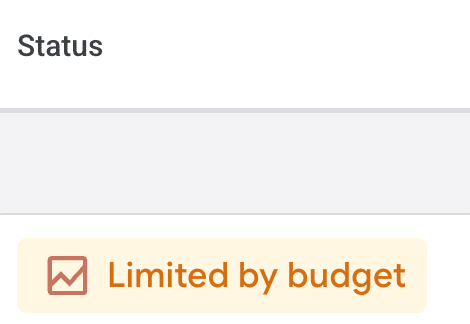
Start with campaigns using Target CPA or Target ROAS, particularly those currently flagged as "Limited by Budget." Those are the campaigns I'd watch most closely over the coming days and conversion cycles.
2. Compare your targets to your actual performance
If there's a significant gap between your stated target and what you've actually been getting, decide whether that target still makes sense.
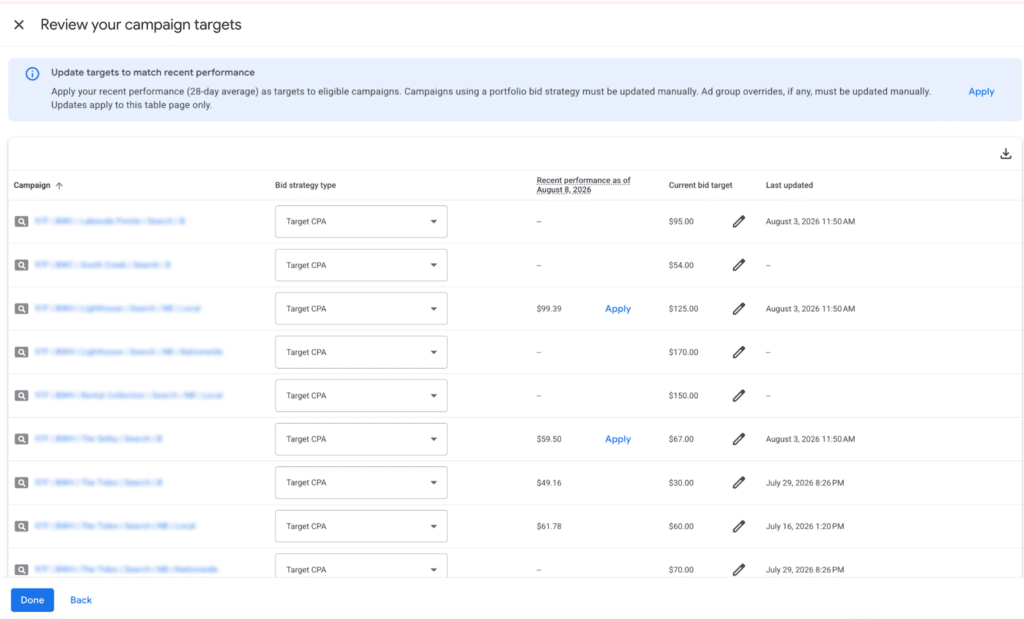
Google released a Bid Target Adjustment Tool specifically to help advertisers review this. The tool pulls in campaigns using Target CPA or Target ROAS and shows your actual performance compared with your current targets, along with the date of the last target change.
From there, you have four main options:
- Keep your current target if it reflects what you're willing to pay or the return you need.
- Change your target to align with recent actual performance if you want to maintain the efficiency you've been achieving.
- Set a new target aligned with your business goals if neither your current target nor recent performance represents the right balance of growth and efficiency.
- Switch bid strategies altogether if optimizing toward a specific CPA or ROAS is no longer the right approach.
3. Start treating your target like an optimization lever
Your target shouldn't be a number that gets set once and then sits untouched for six months.
If you're hitting your target and spending your full daily budget, you may have room to push for greater efficiency. I generally prefer tightening targets incrementally — around 5–10% at a time — and watching whether Google can continue spending the available budget.
I'd especially consider testing this if you're losing Search Impression Share due to budget and your priority is efficiency rather than maximizing volume.
If your target becomes so aggressive that Google can't spend your available daily budget, you can loosen it incrementally if your business goals allow.
But if loosening it would take you outside those goals, don't accept worse efficiency just to spend more. Look for other optimization opportunities — like pausing keywords consuming significant budget without generating efficient conversions, improving ad copy, or testing landing pages.
And when you make meaningful changes, give them time to work. Depending on conversion volume and your conversion cycle, Smart Bidding can take a week or two to stabilize.
Avoid repeatedly changing budgets, targets, bid strategies, or conversion goals in quick succession, and make sure clients or internal stakeholders understand that some short-term volatility can be expected.
If You Run Performance Max Or Demand Gen, Watch For This Too
CPA and ROAS aren't the only metrics that could move.
Performance Max and Demand Gen spread your budget across multiple channels automatically, and this update could change how that spend gets allocated.
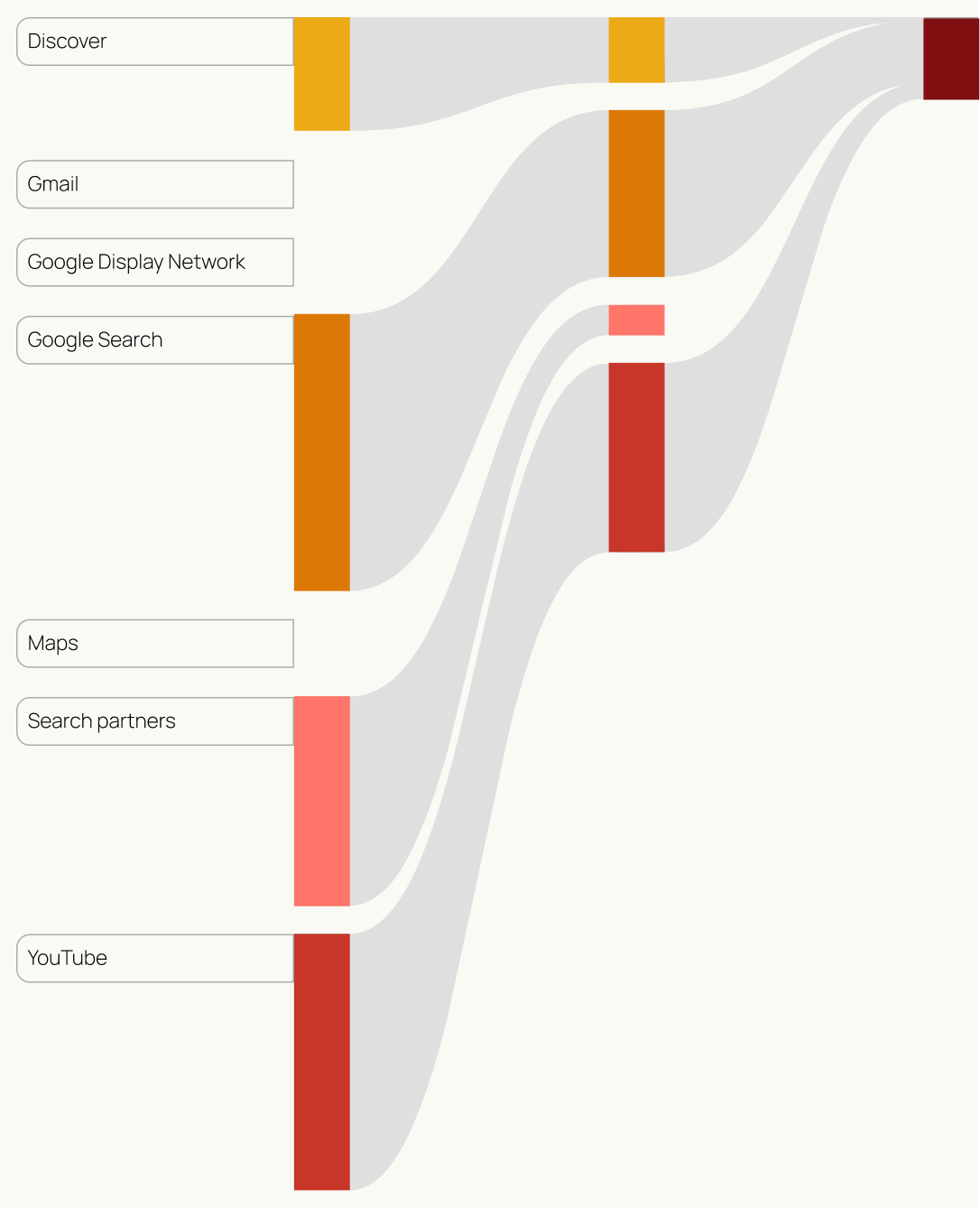
For example, if Google determines it needs to spend more on the Display Network to reach your target, you could see significant changes in CPC or CTR simply because your channel mix changed. A sudden drop in CTR doesn't necessarily mean your creative got worse if Google simultaneously shifted more spend into Display inventory.
That's why it's important to understand where your campaign is actually spending its money before deciding something is wrong.
The Bigger Picture
A lot of the reaction to this update has been pessimistic. I think there's another way to look at it.
More predictable bidding should make performance easier to forecast and campaigns easier to scale. But it also puts more responsibility on the person managing the account. Targets can't be numbers that were set six months ago and forgotten.
This should be a gut check for your in-house team or agency: Did they know this change was coming? Did they identify which campaigns were affected? Did they adjust stale targets? And are they regularly reviewing those targets against actual performance and business goals?
The advertisers who benefit most will be the ones actively managing the relationship between budget, efficiency, and growth.
More predictable bidding gives advertisers a better lever for scaling. But like any lever, someone actually has to be paying attention to it.
Resources
If you want to go deeper on the mechanics of this update, Google's own documentation is worth the read: the support article explaining the change and the accompanying FAQ both cover the rollout and what to expect in more technical detail than we've gone into here.